The parameter editor window is:
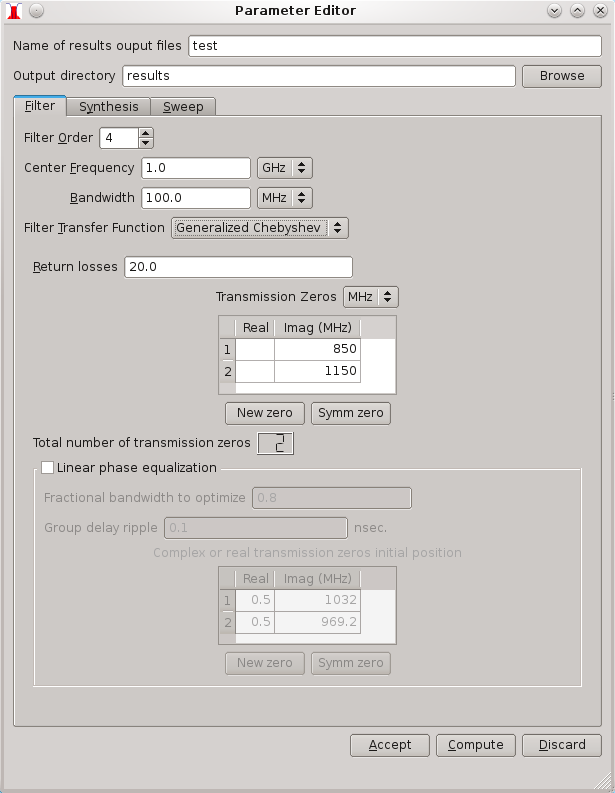
All parameter input widgets have tool tips that explain the parameter and the data type (complex, list of floats, etc.).
When the parameter editor window is open, it creates a backup copy of the main window parameters, in order to allow the user to restore the original parameters if he does not like the results of the modifications. While the editor window is open, all computations are performed with the modified parameters in the editor. The user can accept the modified parameters with the "Accept" button or by closing the editor window, or can discard the modifications and restore the backup parameters, with the "Discard" button.