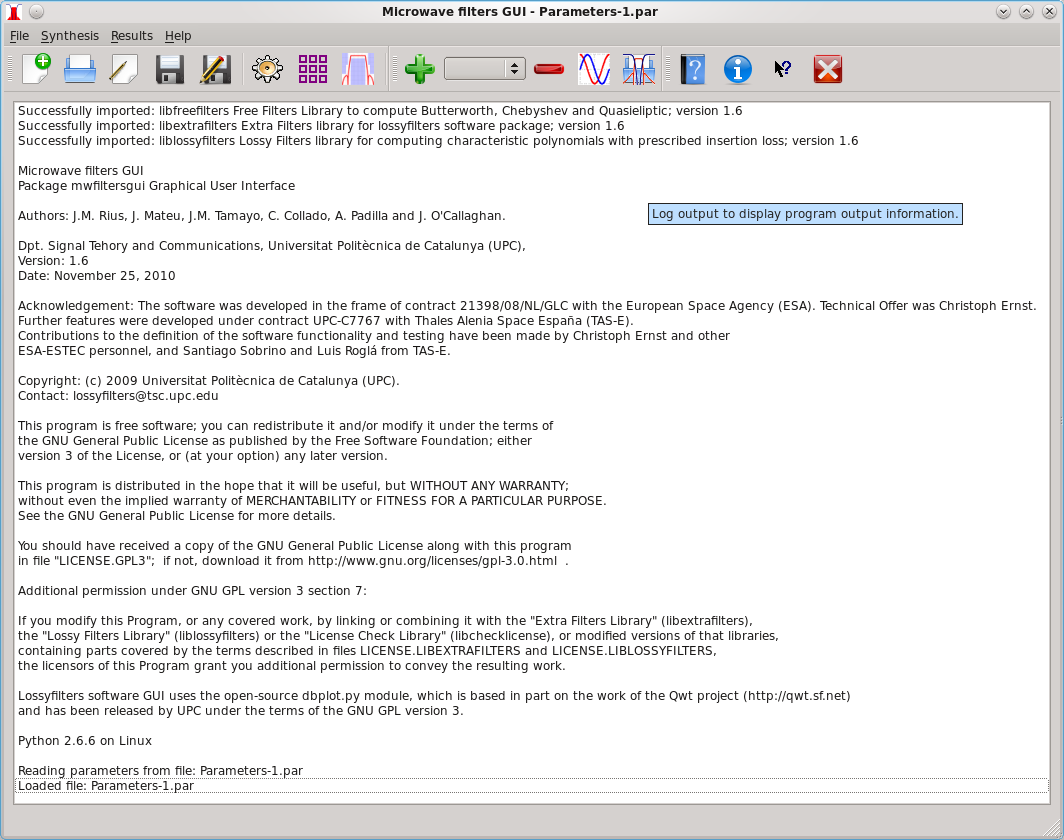
The main window background is a log list
where the program displays console output.
There are tool tips status tips for all possible user actions:
|
|
Create new parameters file. |
|
|
|
Open parameters file. |
|
|
|
Edit parameters file. |
|
|
|
Save parameters file. |
|
|
|
Save As parameters file. |
|
|
|
Execute Synthesis. |
|
|
|
Coupling Matrix. |
|
|
Plot specification masks. |
|
|
|
Store current result in list. |
|
|
|
Remove result form list. |
|
|
|
Display/hide results comparision. |
|
|
|
Open Touchstone [S] parameters file. |
|
|
|
Help. |
|
|
|
About lossyfilters. |
|
|
|
Exit application. |


There is a results list where you can store results for later comparison, and load or delete results from the list. Loading a result from the list updates the parameter edit window with the parameters used to compute this result, and updates the coupling matrix window with the coupling matrices that where computed from this result characteristic polynomials before the results was saved to the list. All coupling matrix edit actions corresponding to a given result are also updated when the result is loaded from the list.