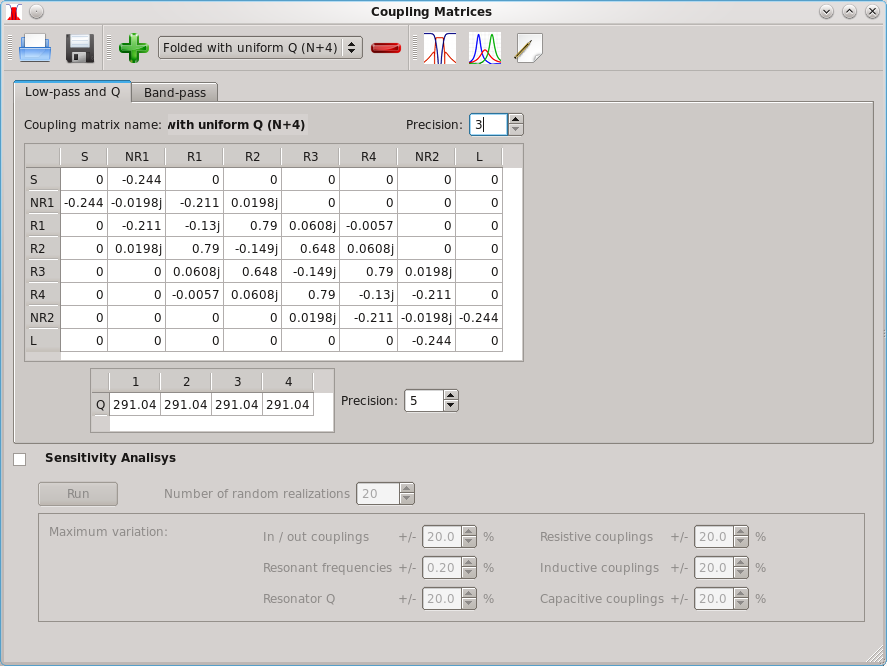
Coupling matrix window:
|
|
Read matrix
from disk. |
|
|
Save current
matrix to disk. |
|
|
Store
current matrix in list. |
|
|
Remove
matrix from list. |
|
|
Plot [S]
parameters and check error with Characteristic Polynomials. |
|
|
Plot stored
energy and dissipated power. |
|
|
Edit current
coupling matrix. |


There is a coupling matrix list where you can store, load or delete matrices. Loading a matrix from the list updates the coupling matrix and Q table entries. There is also a matrix editor to manually edit matrix entries and to perform matrix rotations.
Matrix
Editor
Window
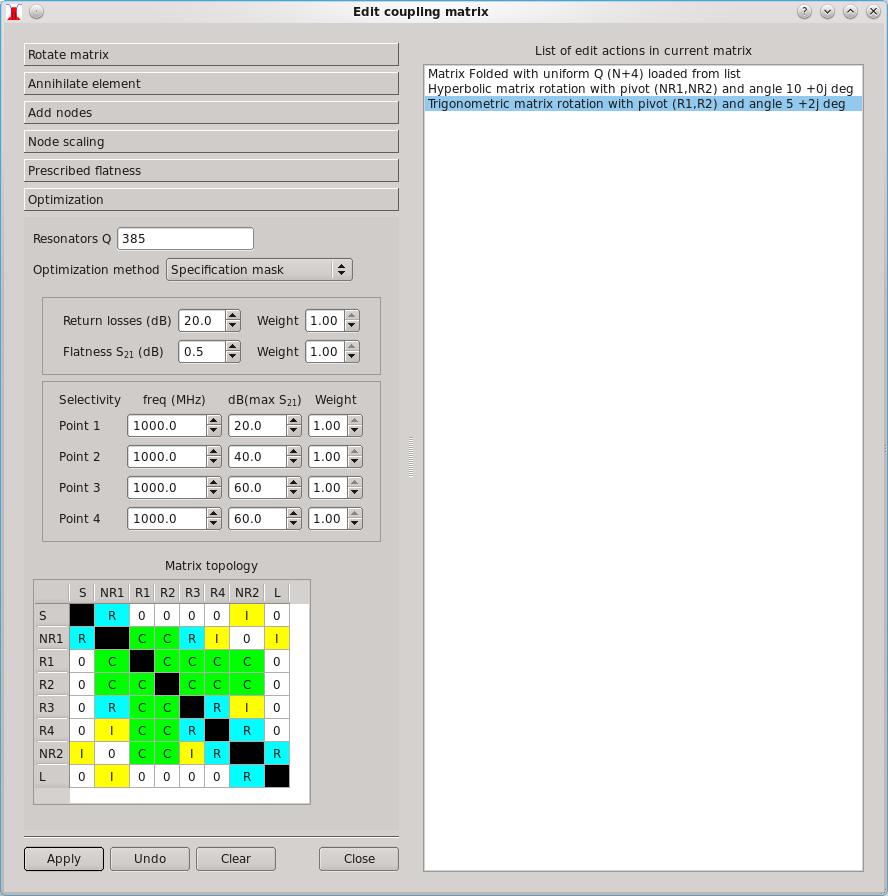
The matrix editor has a list
of edit
actions. Actions can be undone. Double-clicking an action in the edit
actions
list loads the coupling matrix state after that action was done.
Error
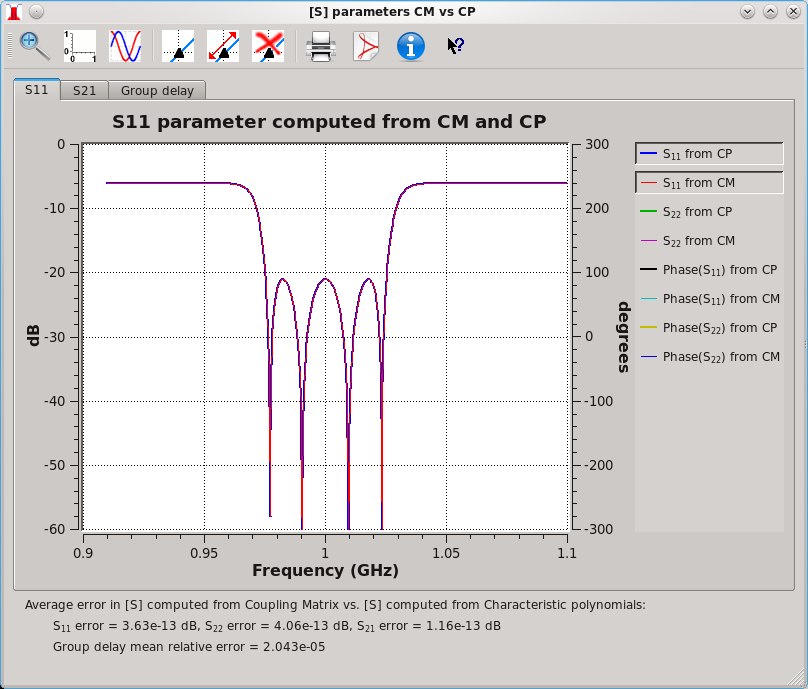
To assess the roundoff error in matrix rotations, it is possible to compare [S] parameters computed from current coupling matrix with [S] parameters computed from characteristic polynomials. The average error is shown at the bottom of the window.